
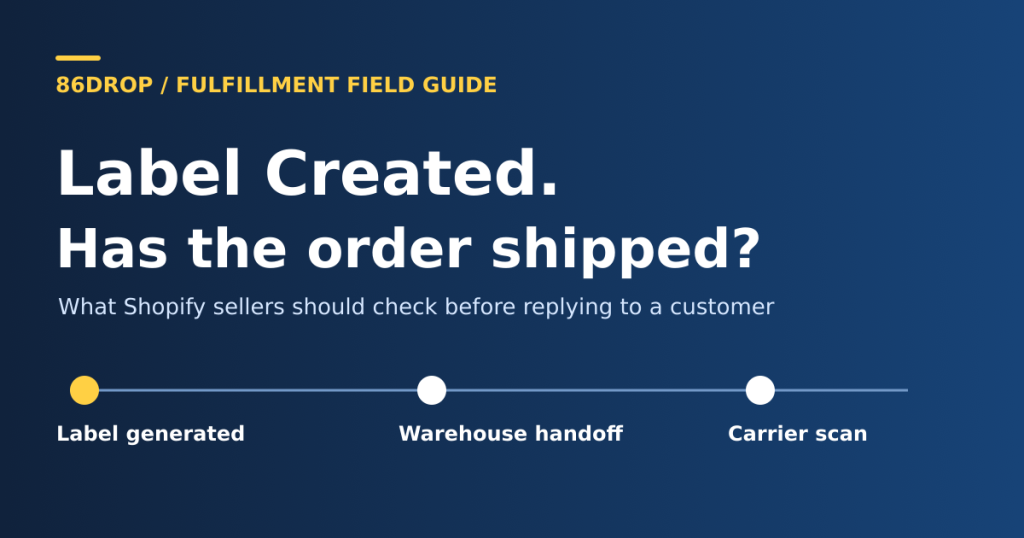
The customer has a shipping email. The Shopify order is marked Fulfilled. But the carrier still says Label Created. Before you tell the customer it’s on the way, find out who last had the parcel.
Label Created tells you that the label or shipment data exists. It does not confirm carrier pickup. It doesn’t prove the parcel is still in your warehouse, either. That distinction matters when an order ships from China and the number in Shopify belongs to a U.S. carrier that won’t receive the parcel until later.
What the tracking number actually tells you
Shopify and the carrier are reporting two different things. Shopify can display a number added by your team, a shipping label purchase, or a fulfillment app. Depending on the carrier, Shopify shows tracking updates on the order status page or sends the customer to the carrier’s site. An order can be marked fulfilled in Shopify without that status confirming a physical pickup. Shopify: Order tracking · Shopify: Fulfilling orders
For UPS, Label Created means UPS has received the shipment details. It changes to Shipped/On the Way once UPS has the shipment and it is moving in its network. The important question is whether the carrier shown on that screen is the one that was supposed to collect the parcel from your warehouse. UPS: Understanding tracking statuses
Prevent the ticket before the customer opens one
Walk through your current process from the buyer’s side. If the warehouse prints a label at 11 a.m. and the email says “Your order has shipped” at 11:01, the customer expects the parcel to be moving. If pickup isn’t until the evening, that email has set the wrong expectation before the carrier has done anything.
1. Keep printing labels separate from telling customers their order has shipped. Let the warehouse print the label when it needs to. Where your Shopify or fulfillment app workflow allows it, reserve the shipping confirmation for a handoff you can document for that parcel. If a tracking link is already visible before pickup, describe its status accurately: “Tracking number created. We’ll update the order after handoff.” Check which system sends the email. A Shopify checkbox won’t stop a separate email sent by a tracking app. Shopify lets merchants control notifications for supported label, fulfillment, and tracking-update flows; the exact control depends on how the order is fulfilled. Shopify: Customer notifications · Shopify: Tracking updates and notification control
2. Close each pickup with a parcel list you can reconcile. At the last agreed pickup of the day, compare the labels your team printed with the parcels the carrier or origin partner collected. Keep the handoff time, the receiving partner, and the record that ties the parcel to that pickup. If it moved in a bag, keep the parcel-to-bag match. Flag anything printed but not collected for the warehouse to resolve. If you print a replacement label, keep the old-to-new number mapping and check whether Shopify and the buyer’s link point to the right one. The goal is to avoid having three teams ask each other the same question the next morning.
3. Give unscanned parcels an owner before sending customers to the tracking page. Keep two queues: printed but not collected goes to the warehouse after the agreed pickup cutoff; collected but no expected event goes to the shipping partner after that route’s scan window. They need different evidence. For a China-to-U.S. route, check the origin partner’s event before treating a U.S. carrier’s pre-shipment status as a missed pickup. If you expect to miss a dispatch promise you’ve made to a buyer, send a short update with the last verified event and when you’ll check again. Don’t send a new shipping confirmation to try to move a tracking status along.
Test it with one order first. Check the Shopify order page, the actual email, and the carrier link just after label creation and again after handoff. Check one split order too, so the first package doesn’t tell the customer the whole order has shipped. If you track results, start with two numbers: confirmations sent before verified handoff, and “has it shipped?” contacts per 100 shipped orders on the same route. Look at both. Fewer emails alone do not mean customers are better informed.
Follow one parcel through the handoff
Start with the item the customer is asking about. If the order shipped in two boxes, one box’s scan does not clear the other. Open the matching fulfillment in Shopify and note the carrier, number, and tracking link. If the route uses a different number in China, ask your shipping partner to match the first-mile number to the U.S. number before comparing events. Shopify shows separate shipments on the order status page when an order has multiple fulfillments. Shopify: Understanding order status pages
Next, ask for a handoff record tied to that parcel. A pickup booking or a list of labels printed that afternoon isn’t enough. A signed pickup record identifying the parcel, or a carrier-signed bag record with a reliable parcel-to-bag match, supports a handoff. The second still doesn’t establish that the carrier scanned the individual parcel. USPS, for example, distinguishes receiving a container of packages from accepting each piece. USPS: Tracking status definitions · USPS: Batch SCAN forms
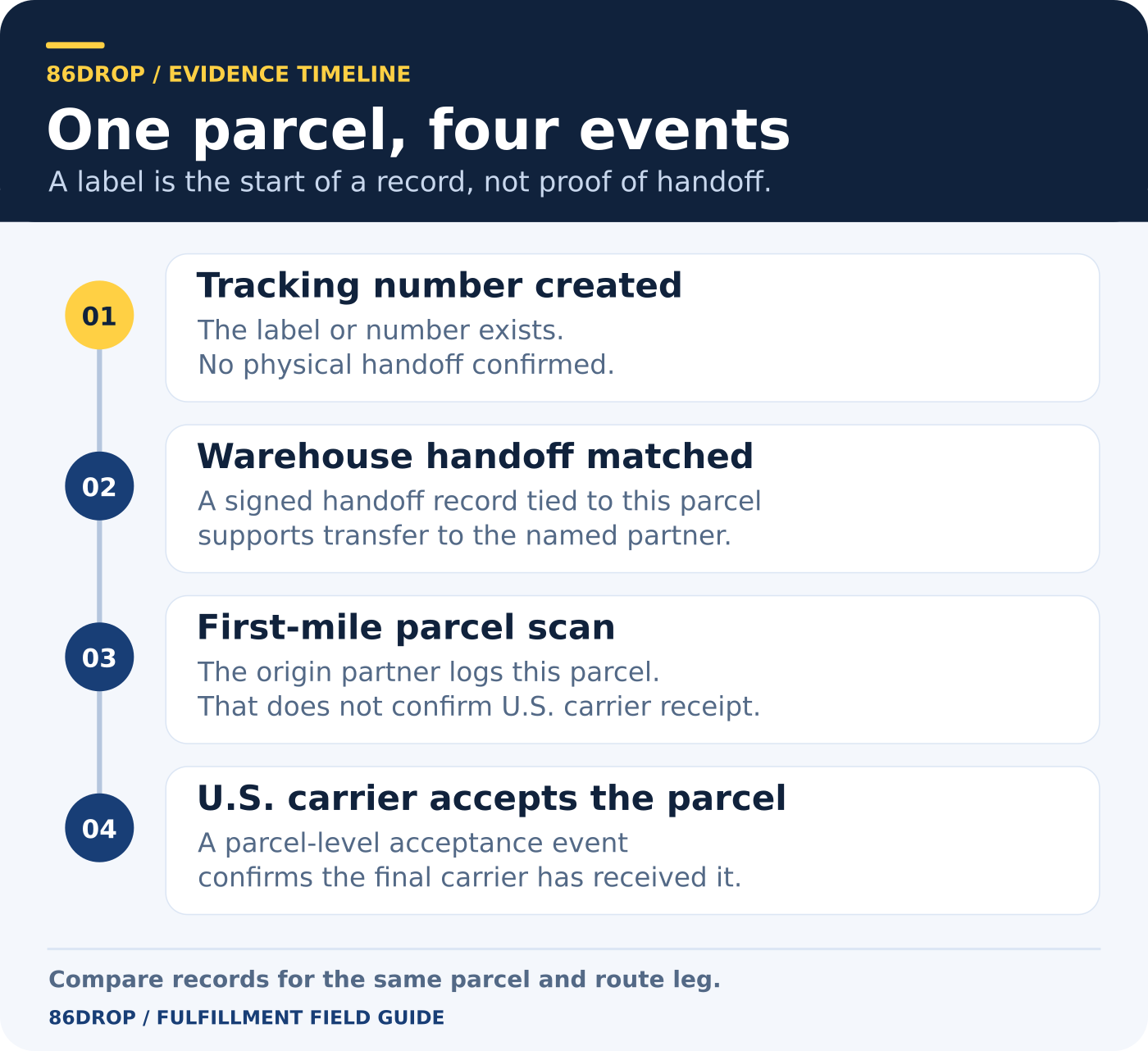
Here’s how that can look on a China-to-U.S. shipment. This is an illustrative timeline, not a customer case or a transit-time estimate.
| What you can see | What you can tell the customer |
|---|---|
| Monday, 16:00 China time. Shopify has the USPS number. Its tracking page shows only that a label was created. | The tracking number is ready. Carrier handoff has not been verified. |
| Monday, 18:40 China time. The origin partner signs for a bag. The warehouse can match this parcel to that bag. | The handoff record covers the bag containing this parcel. There is no individual scan yet. |
| Tuesday, 09:10 China time. The origin partner records the individual parcel at its facility. USPS still shows Awaiting Item. | The origin partner has recorded the parcel. USPS has not recorded receiving it. |
| Thursday, 10:20 U.S. Eastern Standard Time (23:20 China time). USPS shows In Possession of Item for the matching number. | USPS has received the parcel. Use its tracking page for the next update. |
The key decision is on Tuesday: you have enough evidence to say the parcel is in the origin partner’s network, but not enough to say USPS has it. When USPS shows a shipping-partner pickup or facility event alongside USPS Awaiting Item, the USPS tracking page itself tells you to go back to the shipper or shipping partner for that leg. USPS: Shipping-partner and acceptance statuses
Who to contact when tracking stops at “Label Created”
| The evidence you have | Who should check | What to ask for |
|---|---|---|
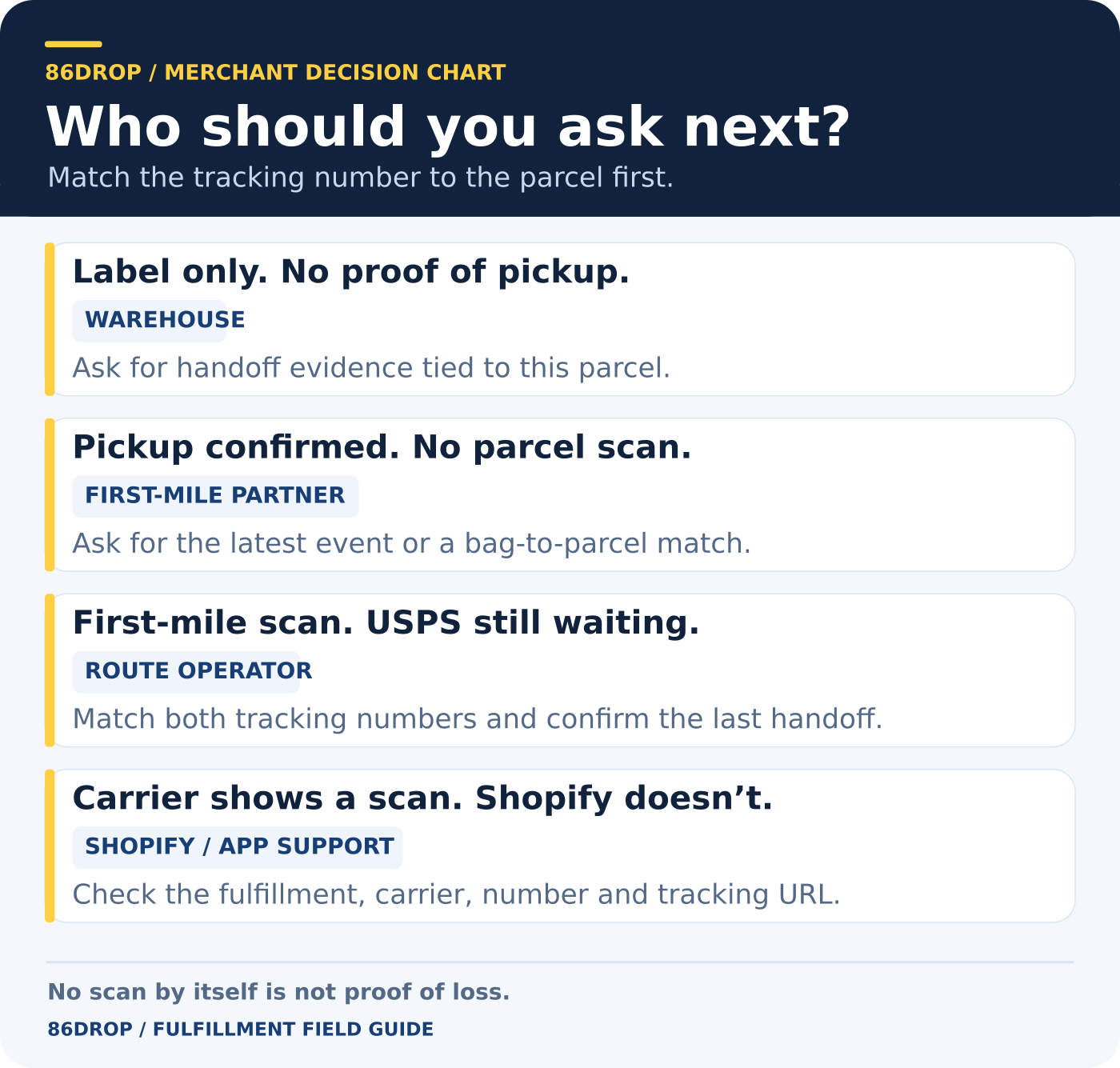
| A tracking number, but no handoff record for this parcel | Warehouse | Confirm whether the parcel is still on site. If it left, ask for the pickup time and a record tied to the parcel or its bag. |
| A documented handoff, but no individual scan | First-mile partner | Confirm the parcel-to-bag match and check the latest event in that partner’s own system. |
| A first-mile scan, but USPS still says Awaiting Item | Route operator | Match both tracking numbers and confirm the latest verified event. Don’t ask USPS to trace a leg it hasn’t received. |
| The carrier’s official tracking page shows a scan, but Shopify does not | Store or app support | Compare the fulfillment, carrier selection, tracking number, and link. If Shopify isn’t pulling live updates for that carrier, direct the customer to the correct carrier link. |
Before you escalate a late scan, check when the event happened, not just when it appeared online. A Monday pickup can be recorded in a system on Tuesday. Use the timestamp and time zone from the source, then record when the update appeared on the store if you can verify it. Shopify’s fulfillment events distinguish event time from record-creation time. Those are separate clocks, not evidence that the warehouse shipped late. Shopify: Fulfillment event fields
Use your route’s agreed pickup cutoff and scan window to decide when to escalate. A missing scan does not, by itself, establish that the parcel is lost. DHL eCommerce’s tracking guidance, for example, describes when its events usually appear; it isn’t a deadline that applies to a different carrier or service. Don’t reprint the label or send a replacement before you’ve checked whether the original parcel is still in the warehouse or already with a partner. DHL eCommerce: Tracking FAQ
If all you have is the label, a customer update can be this simple:
Your tracking number is ready. We’re checking the handoff with our shipping team and will update you by [time and time zone].
Give a time for your next update, not an arrival date you can’t verify.
Setting up Shopify fulfillment from China? See how 86DROP sends tracking numbers back to Shopify after dispatch. For the wider shipping process, see our China-to-U.S. fulfillment guide.